> For the complete documentation index, see [llms.txt](https://aisuko.gitbook.io/wiki/llms.txt). Markdown versions of documentation pages are available by appending `.md` to page URLs; this page is available as [Markdown](https://aisuko.gitbook.io/wiki/ai-techniques/stable-diffusion/conditioning.md).
# Conditioning
## Overview
The purpose of ***conditioning*** is to ***steer the noise predictor so that the predicted noise will give us what we want*** after subtracting from the image.
## Text conditioning
{% hint style="info" %}
Text-to-image
{% endhint %}
#### The overview of a text prompt is processed and fed into the noise predictor
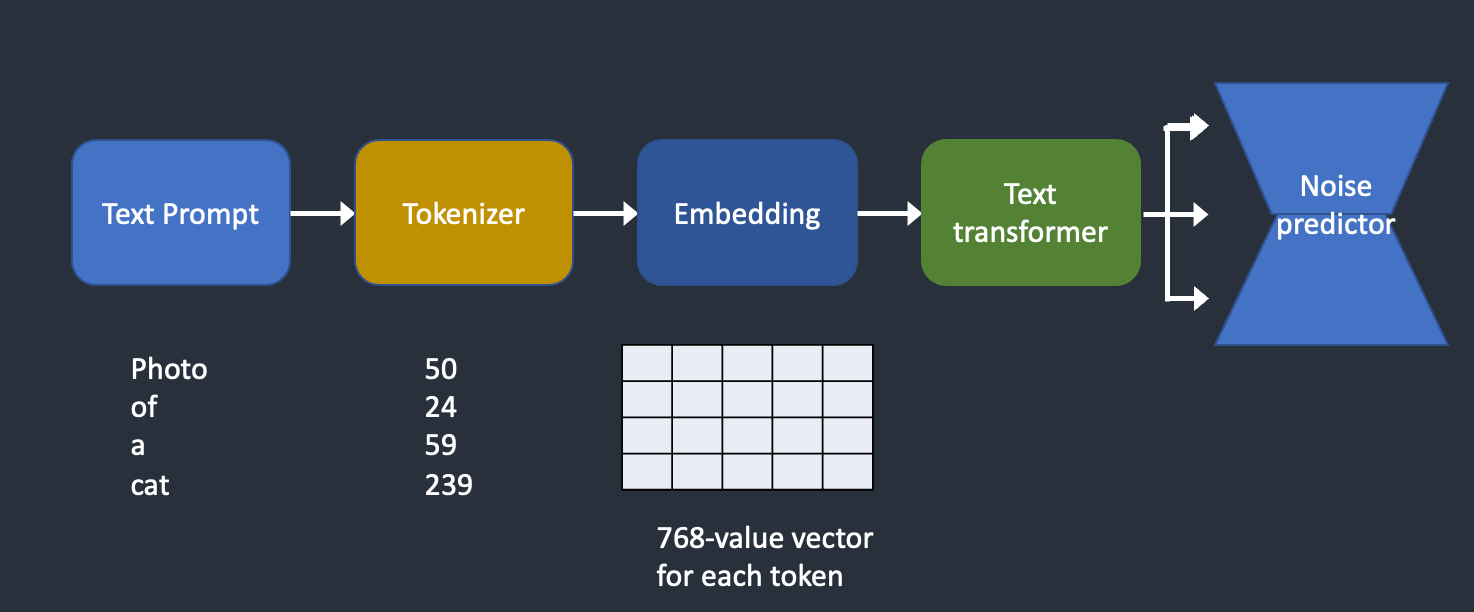
How the text prompt is processed and fed into the noise predictor to steer image generation
#### [Tokenizer](#tokenizer-1)
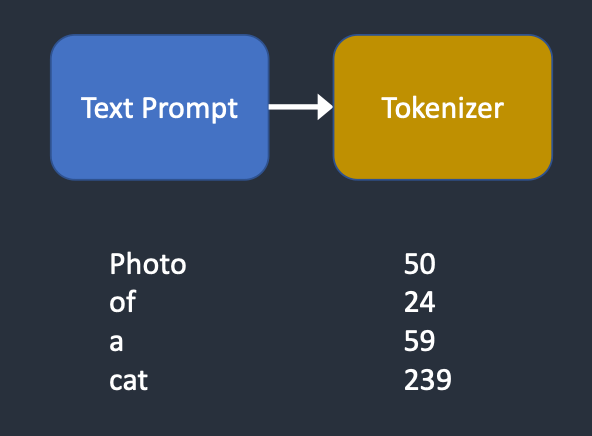
**Tokenizer** first converts each word in the prompt to a number called a **token**.
#### Token
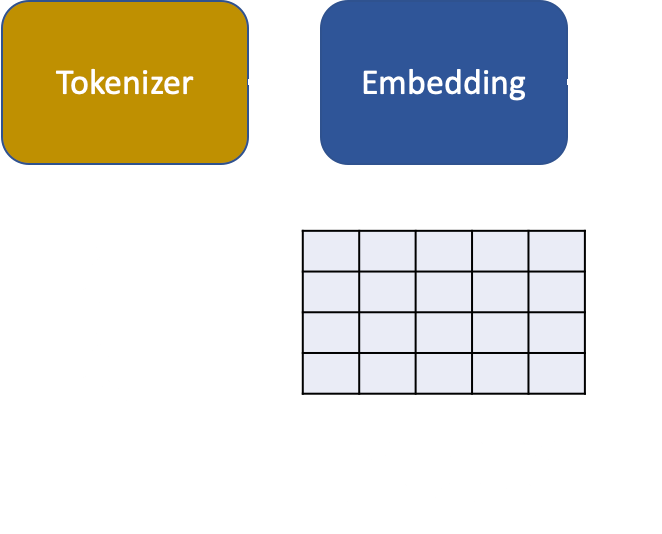
Each token is then converted to a 768-value vector called **embedding**.
#### [Embedding](#embedding-1)
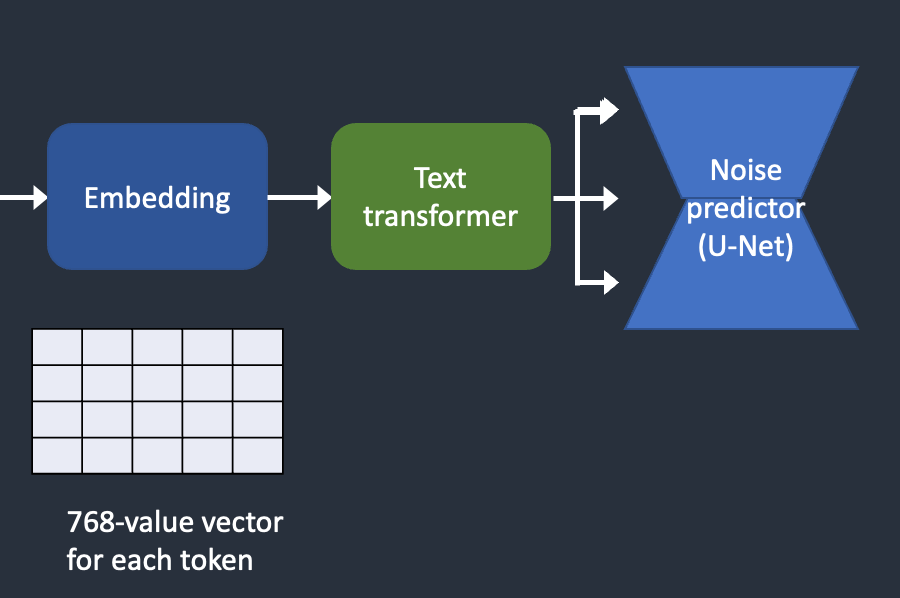
The embeddings are then processed by the **text transformer** and are ready to be consumed by the noise predictor.
#### Example
The tokens and embeddings of any prompt with the [notebook](https://colab.research.google.com/github/sagiodev/stablediffusion_webui/blob/master/Stable_Diffusion_tokenizer_and_embedding_SDA.ipynb).
### Tokenizer
Tokenizer
The text prompt is first **tokenized** by a [CLIP tokenizer](https://huggingface.co/docs/transformers/model_doc/clip) (More detail for [CLIP](/wiki/ai-techniques/stable-diffusion/clip.md)). ***Tokenization*** is the computer's way of understanding words(It compares to humans). This is the reason the words in a text prompt are first converted to numbers.
***A tokenizer can only tokenize words it has seen during training.*** For example, there are "dream" and "beach" in the CLIP model but not "dreambeach". Tokenizer would break up the word "dreambeach" into two tokens "dream" and "beach". ***So one word does not always mean one token.***
***The stable Diffusion model is limited to using 75 tokens in a prompt. (So, it is not the same as 75 words.)***
### Embedding
Embedding
Stable diffusion v1 uses Open AI's [ViT-L/14](https://github.com/CompVis/stable-diffusion) Clip model. Embedding is a 768-value vector. Each token has its own unique embedding vector. Embedding is fixed by the CLIP model, which is learned during training.
#### Why do we need embedding?
It's because ***some words are closely related to each other***. We want to take advantage of this information. For example, the embeddings of man, gentleman, and guy are nearly identical because they can be used interchangeably. Monet, Manet, and Degas all painted in impressionist styles but in different ways. The names have close but not identical embeddings.
Embedding can trigger a style with a keyword. Embeddings can do magic. Scientists have shown that finding the proper embeddings can trigger arbitrary objects and styles, a fine-tuning technique called [textual inversion](https://textual-inversion.github.io).
### Feeding embeddings to noise predictor
From embeddings to the noise predictor
The embedding needs to be further processed by the ***text transformer*** before feeding into the noise predictor. The transformer is like a universal adapter for conditioning. In this case, its input is **text embedding vectors**, but **it could** as well be something else like ***class labels, images***, and [depth maps](/wiki/ai-techniques/stable-diffusion/depth-maps.md). The transformer not only further processes the data but also ***provides a mechanism to include different conditioning modalities***.
### Cross-attention
The output of the text transformer is used ***multiple times*** by the noise predictor throughout the U-Net. The U-Net\[#Todo] consumes it by a ***cross-attention mechanism***. **That's where the prompt meets the image.**
Here is an example, the prompt "A man with the blue eye" as an example. Stable Diffusion pairs the two words "blue" and "eyes" together (**self-attention within the prompt**) so that it generates a man with blue eyes but not a man with a blue shirt. It then uses this information to **steer the reverse diffuse towards images containing blue eyes**. (***cross-attention between the prompt and the image***)
## Extension
### Hypernetwork
***A technique to fine-tune Stable Diffusion models*** **hijacks the cross-attention networks to insert styles**. **LoRA models modify the weights of the cross-attention module to change styles**. ***The fact that modifying this module alone can fine-tune a Stable Diffusion model tells you how important this module is.***
### Other conditionings
The text prompt is not the only way a Stable Diffusion model can be conditioned. Both a text prompt and a depth image are used to condition the [depth-to-image model](/wiki/ai-techniques/stable-diffusion/depth-maps.md).
[ControlNet](/wiki/ai-techniques/stable-diffusion/controlnet.md) conditions the noise predictor with [detected outlines](/wiki/ai-techniques/stable-diffusion/controlnet.md#edge-detection), [human poses](/wiki/ai-techniques/stable-diffusion/controlnet.md#human-pose-detection), etc, and achieves excellent controls over image generations.
## Credit
{% embed url="" %}